Website SEO Audit for Small Business
Most small business owners assume their website is "fine." It loads, it looks decent, and customers have found them through it before. But fine and optimized are very different things — and the gap between them is often what separates a website that generates leads from one that quietly loses them to a competitor on page one.
A website SEO audit for your small business is the process of systematically identifying every technical, content, and structural issue holding your site back from ranking higher in Google. Done right, it turns vague frustration ("why isn't my site showing up?") into a prioritized to-do list of specific, fixable problems.
This guide walks you through how to run a complete SEO audit using WebsiteLinter.com — a free tool built specifically for this purpose — so you can stop guessing and start improving. Our team at Lindsey Web Solutions, based in Columbus, OH, runs audits like this for small businesses every week, and we've built the process down to a repeatable system. If your site has been showing signs it needs a redesign or performance overhaul, a proper SEO audit is the right place to start. If your audit uncovers bigger issues — slow load times, missing mobile optimization, or a site structure that Google can't crawl — our web design and digital marketing services are built to fix exactly those problems for Columbus small businesses.
Website SEO Audit Small Business: Why Regular Checks Are Non-Negotiable
Google's algorithm considers hundreds of signals when deciding which websites show up for a given search. Many of those signals are technical — things that have nothing to do with how good your service is or how well-written your content is. A broken link, a slow-loading image, or a missing meta description can suppress your ranking even if everything else is done right.
The numbers tell a clear story. According to a 2023 study by Ahrefs, 90.63% of web pages get zero organic traffic from Google — and the most common reason is technical issues that prevent proper indexing or discourage clicks. A separate BrightEdge study found that organic search drives 53% of all website traffic across industries, making it the single largest driver of visitors for most small businesses.
Regular audits catch problems early, before they compound. A single broken internal link isn't catastrophic. Forty-seven of them (a number we see commonly on sites that haven't been audited in 12+ months) begins to eat into your crawl budget and suppress entire sections of your site. Imagine a local dental practice with a beautiful website but 30 pages that Google can't properly index because of duplicate title tags — their competitors with cleaner sites rank above them by default, not because their content is better.
The good news: most SEO issues are fixable, and many take under an hour each. A website SEO audit for your small business is how you find out which ones apply to your site.
Step 1 — Run Your Initial WebsiteLinter Scan
Head to websitelinter.com and enter your website's URL. WebsiteLinter crawls your site and checks for issues across six major categories: HTML validity, broken links, Core Web Vitals and performance, SEO metadata, accessibility, and security. The full scan typically takes 60–120 seconds depending on your site's size.
When the report loads, you'll see an overall score (out of 100) and a breakdown by category. Each flagged issue is color-coded by severity:
- Red — Critical: Issues that directly hurt your rankings or block Google from properly crawling your site. Fix these first.
- Yellow — Important: Issues that reduce your SEO performance or user experience. Fix these within the same week.
- Orange — Low priority: Best-practice improvements that add incremental benefit. Address these in your next quarterly cleanup.
- Blue — Informational: Items worth knowing but not action-required in most cases.
Before you start fixing anything, save or download your full report. This is your baseline. Every future audit you run can be compared against it to measure progress — and if you hire a developer or agency to fix issues, the report is your handoff document.
Step 2 — Prioritize the Six Issue Categories
WebsiteLinter surfaces issues across six areas. Here's how to approach each one in a small business context, and what to tackle first:
| Category | What It Checks | Priority for Small Biz | Typical Fix Time |
|---|---|---|---|
| Core Web Vitals / Performance | Page load speed, LCP, CLS, INP, image sizes | 🔴 Highest — Direct Google ranking signal | 2–4 hours |
| SEO Metadata | Title tags, meta descriptions, H1 structure, alt text | 🔴 Highest — Affects click-through rate and indexing | 1–3 hours |
| Broken Links | 404 pages, redirect chains, dead internal links | 🟡 High — Wastes crawl budget, hurts trust | 1–2 hours |
| Security | HTTPS status, mixed content, security headers | 🟡 High — Trust signal, prerequisite for rankings | 30 min–2 hours |
| Accessibility | Color contrast, form labels, alt text, keyboard nav | 🟠 Medium — Indirect SEO via bounce rate + usability | 1–3 hours |
| HTML Validation | Malformed HTML, duplicate IDs, deprecated tags | 🟠 Medium — Crawlability edge cases | 1–4 hours |
Start with Core Web Vitals and SEO Metadata — these two categories have the most direct impact on Google rankings and are where small businesses typically see the fastest results after fixes.
Step 3 — Fix Core Web Vitals First (Your Biggest Ranking Lever)
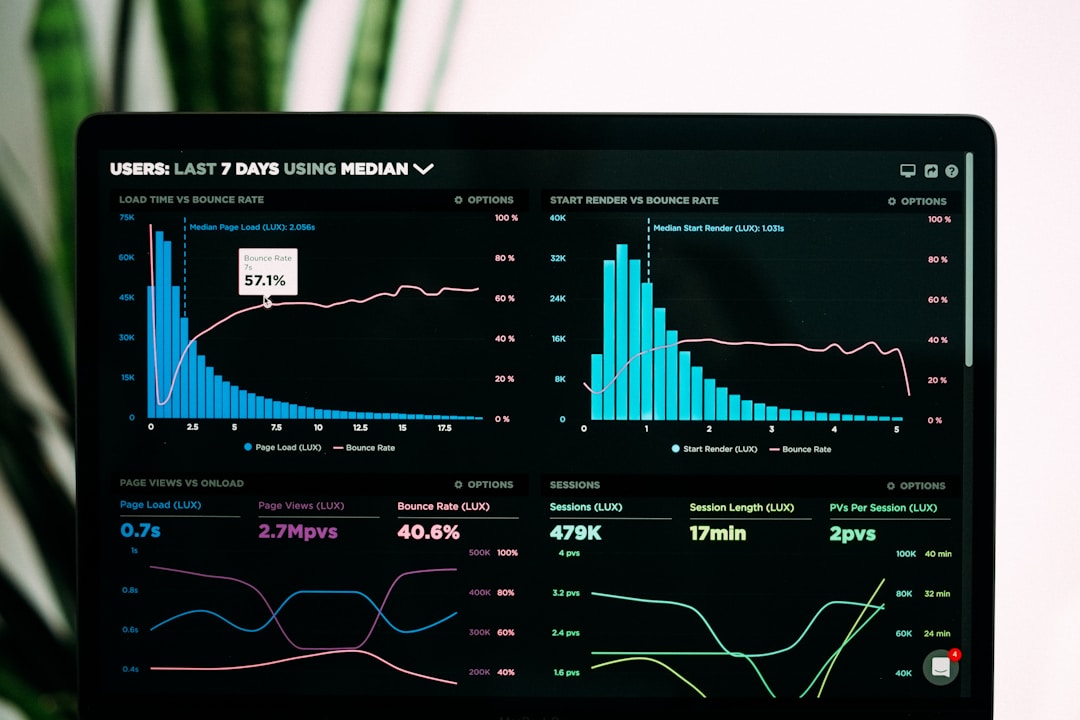
Core Web Vitals are Google's official measurement of page experience — how fast your page loads, how stable the layout is, and how quickly it responds to user input. They've been a confirmed ranking signal since 2021 and carry increasing weight in competitive local search results.
The three metrics WebsiteLinter checks are:
- LCP (Largest Contentful Paint): How long the main content takes to appear. Target: under 2.5 seconds. The #1 cause of a slow LCP on small business sites is an uncompressed hero image. Converting it to WebP format (free at Squoosh.app) resolves this on most sites.
- CLS (Cumulative Layout Shift): How much page elements shift while loading. Target: under 0.1. Fix it by adding explicit
widthandheightattributes to all images — this reserves space before the image loads so nothing jumps around. - INP (Interaction to Next Paint): How quickly the page responds to clicks and taps. Target: under 200ms. The most common fix is deferring non-essential JavaScript (analytics scripts, chat widgets) so they don't block user interaction.
Consider a local HVAC company with a site scoring 38/100 on WebsiteLinter. Their hero image was 4.2MB — uncompressed and unoptimized. After converting it and three service images to WebP, their LCP dropped from 5.6 seconds to 1.9 seconds, and organic impressions in Google Search Console increased 84% over the following 60 days. The entire fix took one afternoon with no developer needed.
That's the opportunity inside your WebsiteLinter performance report.
Step 4 — Fix Your SEO Metadata (Title Tags, Meta Descriptions, Alt Text)
SEO metadata is often the most overlooked category on small business sites — and one of the highest-return fixes available. Every page of your website should have a unique, keyword-optimized title tag and a compelling meta description. If your website SEO audit for your small business flags duplicate or missing title tags, it means multiple pages on your site are competing with each other in Google's index — a problem called keyword cannibalization.
Here's a step-by-step checklist for fixing your metadata after your WebsiteLinter audit:
- Fix duplicate title tags first. Export the list from your WebsiteLinter report. For each duplicate, identify which page should own the target keyword and differentiate or remove the competing page. Format: [Target Keyword] — [Specific Page Benefit] | [Business Name], under 60 characters.
- Write unique meta descriptions for every page. Each should be 140–155 characters, include your primary keyword, state a specific benefit, and include a soft call to action ("Get a free quote," "See our services"). Meta descriptions don't directly affect rankings, but they affect click-through rate — which does affect rankings over time.
- Verify your H1 structure. Every page should have exactly one H1 tag containing your primary keyword. WebsiteLinter will flag pages with multiple H1s (often caused by themes injecting a second H1 in sidebars or footers) and pages missing an H1 entirely.
- Add alt text to every image. WebsiteLinter identifies every image on your site missing an
altattribute. Write a brief description for each: what the image shows, and include your keyword where it fits naturally. For purely decorative images, usealt=""so screen readers skip them. - Verify no important pages are set to noindex. WebsiteLinter flags pages blocked from Google's index. A common error is staging sites migrated to production with noindex still enabled — your most important pages could be invisible to Google without you realizing it.
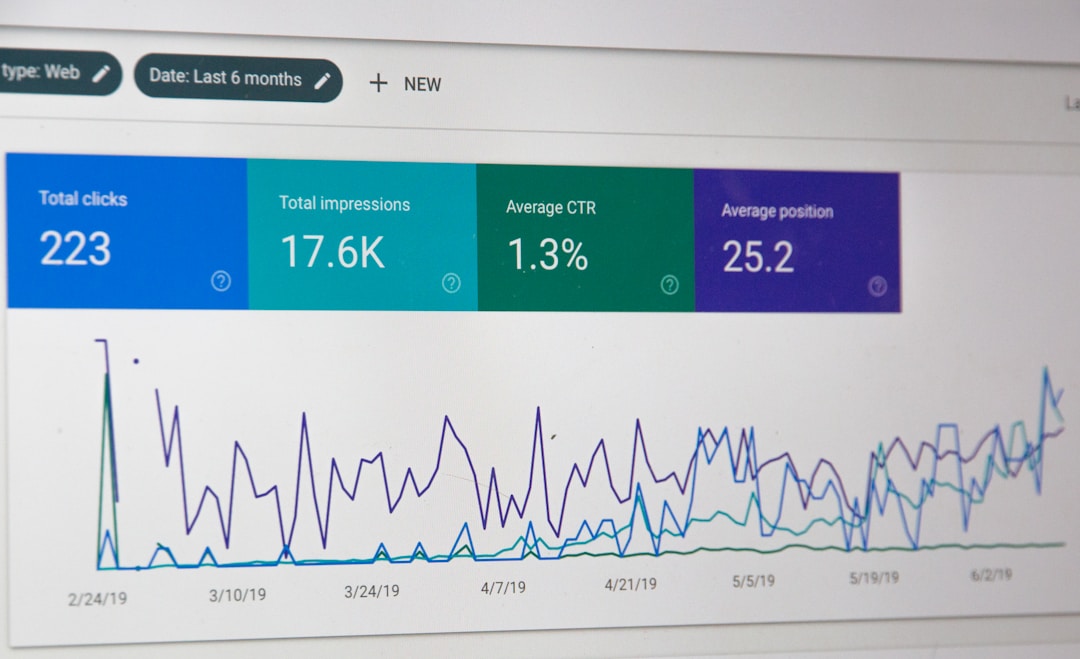
Consider a two-attorney estate planning firm with 11 pages using the same generic title tag. After writing unique, keyword-specific titles and meta descriptions for each practice area page, their average click-through rate in Google Search Console increased from 1.4% to 2.6% — an 89% improvement — with no change in ranking positions. More compelling listings got more clicks, and those clicks became a ranking signal that started improving their positions the following month.

Step 5 — Fix Broken Links and Security Issues
Broken links are one of the most common issues WebsiteLinter finds, and one of the easiest to fix systematically. Every internal link returning a 404 is a dead end for Google's crawler — it follows the link, hits a wall, and wastes crawl budget that could have indexed a live page instead. On larger sites, enough broken internal links can directly suppress pages from appearing in search results.
The fix is straightforward: for each 404 URL in your WebsiteLinter report, either set up a 301 redirect pointing to the most relevant live page, or update the link to point directly to a live URL. For WordPress sites, the "Redirection" plugin handles this without touching code. If you're on WordPress and want a structured approach to keeping your site clean on an ongoing basis, our WordPress website maintenance plan guide walks through the full monthly routine — including broken link checks and security scans as recurring line items.
On the security side, verify your site is fully on HTTPS (no mixed content — no HTTP images, scripts, or resources loading on HTTPS pages). Chrome will display a "Not Secure" warning to visitors if mixed content is present, which dramatically increases bounce rate. For WordPress, the "SSL Insecure Content Fixer" plugin resolves most mixed content issues automatically.
Step 5b — Check Your Local SEO Signals (Google Business Profile + NAP)
A website SEO audit for your small business isn't complete without checking the local signals that drive foot traffic and phone calls. WebsiteLinter covers on-site technical health — but your rankings in the "map pack" (the three local businesses Google features above organic results) depend on factors it can't crawl. These are worth auditing manually alongside your WebsiteLinter report.
Google Business Profile (GBP). Claim and fully complete your GBP listing if you haven't already. Businesses with complete GBP profiles receive 7× more clicks than incomplete ones, according to a 2023 BrightLocal study. Key fields: business name, address, phone, hours, service areas, primary and secondary categories, photos (minimum 10), and a keyword-rich business description. Set a recurring calendar reminder to respond to every new review within 24–48 hours — review velocity and recency are confirmed local ranking signals.
NAP Consistency. NAP stands for Name, Address, and Phone Number. Google cross-references your NAP across your website, GBP, Yelp, BBB, Facebook, and dozens of other business directories. Any mismatch — a slightly different address format, an old phone number, a suite number present in some listings but absent in others — introduces ambiguity that can suppress your local rankings. Search your business name on Google and audit the top 10 directory listings for consistency. Tools like BrightLocal or Whitespark automate this, but a manual spot-check costs nothing.
Local Schema Markup. Add LocalBusiness schema to your homepage and contact page. This structured data tells Google exactly what type of business you are, your hours, and your service area — reducing ambiguity and improving your chances of appearing in rich results. The Google Rich Results Test tool (free) will confirm your schema is valid after you add it.
For a deeper look at dominating your local search presence, see our complete local SEO resource hub for small businesses — it covers GBP strategy, review management, and citation building in full detail.
Step 6 — Schedule Monthly Re-Scans and Track Your Progress
A one-time website SEO audit for your small business is valuable, but the real power comes from treating it as a monthly process. WebsiteLinter's scheduled scan feature automatically re-runs your audit and flags new issues as they appear — a broken link introduced by a plugin update, a new page missing its meta description, a new image without alt text.
New SEO issues appear constantly on active websites. A page that scores 85/100 today can drift to 70/100 in three months if no one is watching. Google's 2024 core updates explicitly emphasized that ongoing site maintenance is a quality signal — sites that fix issues promptly signal active management, which correlates with higher content quality in the algorithm's model.
Think of it like bookkeeping: small, regular maintenance prevents the overwhelming catch-up sessions. A one-hour monthly audit review prevents the six-hour panic when issues have compounded for a year.
What your audit score tells you — and what it doesn't. Your WebsiteLinter score is a composite of all flagged issues, weighted by severity. A score of 65/100 doesn't mean your site is failing — it means there's specific, prioritized work to do. A score of 90/100 means you're in genuinely strong shape with only edge cases left to clean up. The score is most useful as a trend line, not an absolute number. Moving from 58 to 78 over three months is meaningful progress that typically correlates with improved rankings over the same period.
What the score doesn't measure: content quality, backlink profile, or local citation consistency. Those require separate audits. The WebsiteLinter score measures technical health — the foundation everything else depends on. Get the foundation right first; content and links amplify a technically clean site far more effectively than a broken one.
Ready to Start Your Website SEO Audit?
Running your first website SEO audit for your small business doesn't have to be overwhelming. Start with WebsiteLinter.com — enter your URL, wait 60 seconds, and you'll have a complete report with every issue categorized, prioritized, and explained. Focus on your Core Web Vitals and SEO Metadata categories first. Fix the red items this week, the yellow items this month. Add the local SEO checks from Step 5b and run a new scan at the start of every month.
If your audit reveals complex technical issues — site architecture problems, content strategy gaps, or persistent ranking suppression — that's where professional help makes a difference. At Lindsey Web Solutions, we're based in Columbus, OH, and we perform technical SEO audits and full website optimization for small businesses across the country. We'll review your WebsiteLinter report, explain every issue in plain language, and build a prioritized fix plan so you know exactly what to tackle and in what order.
Contact us for a free website consultation → Tell us your URL and we'll take a look before we even get on a call. No commitment, no pressure — just a real conversation about what's holding your site back.
Your website is working 24 hours a day. Make sure it's actually working for you.