Why Your Columbus Small Business Website Isn’t Showing Up on Google (And How to Fix It)
You built a website, put the URL on your business cards, and waited. Customers should be finding you on Google — but when you search your own business name, you’re nowhere to be found.
Related resource: If you found this helpful, see our guide on comments for SEO and leads.
You’re not alone. Across Columbus, Ohio, small business owners — plumbers, law firms, dental offices, fitness studios, auto shops, restaurants — are investing in websites that simply aren’t delivering Google visibility. Building a website and ranking on Google are two different things. According to BrightLocal, 46% of all Google searches have local intent, and 42% of local searchers click on Google’s Map Pack results. Columbus businesses that don’t appear in those spots are sending customers directly to competitors.
Here are the six most common reasons your Columbus small business isn’t showing up on Google — and what to do about each one.
Also read: Learn more about Google Search Console guide for additional strategies.

1. Google Can’t Index Your Website
Before Google can rank your site, it has to find it. If your pages aren’t indexed, they simply don’t exist in search results — no matter how good your content is.
Common culprits: a “noindex” tag left on from your site’s staging environment, a missing XML sitemap, broken links causing crawl errors, or a robots.txt file accidentally blocking important pages.
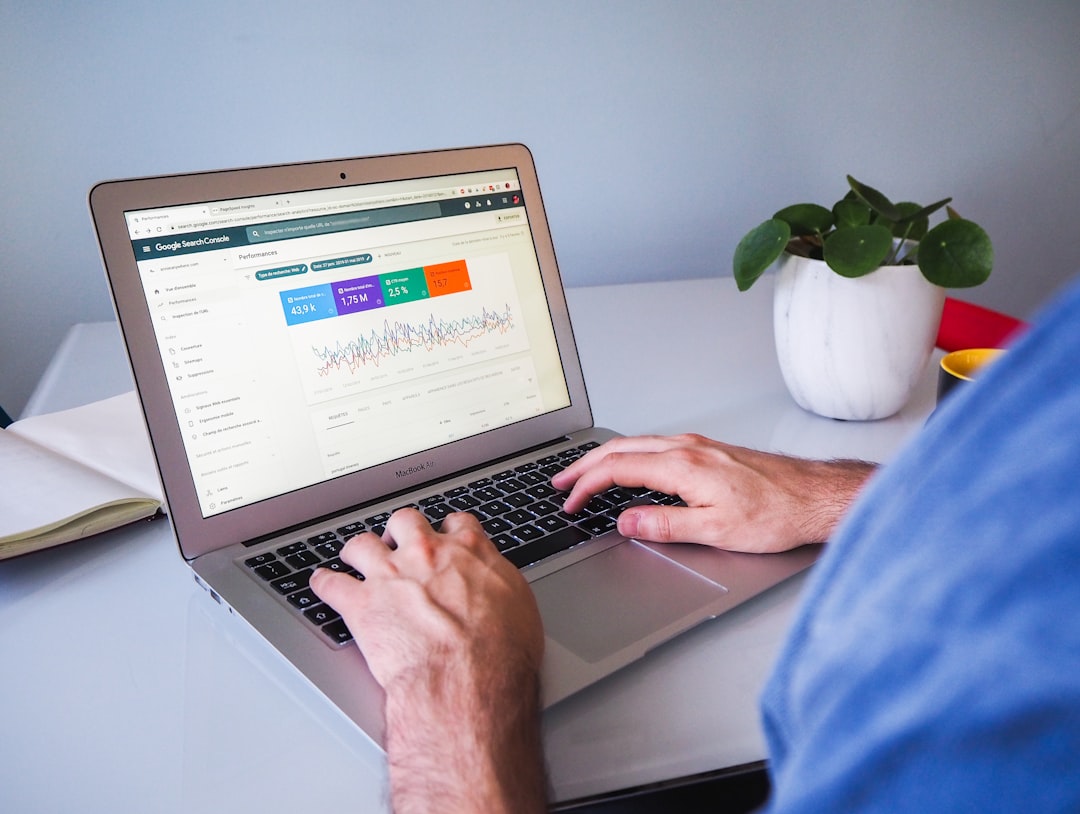
The fix: Set up Google Search Console (free at search.google.com/search-console) and submit your sitemap. Search Console shows you exactly which pages are indexed and what errors exist. For a faster technical check, WebsiteLinter scans your site for indexing problems, missing sitemaps, and crawl errors in minutes.
2. Your Google Business Profile Is Incomplete or Missing
For local Columbus businesses, Google Business Profile (formerly Google My Business) may be more important than your website itself for local visibility — it powers the Map Pack at the top of local searches. Yet over 60% of small businesses haven’t fully optimized their Google Business Profile (BrightLocal, 2024).
Signs of a weak profile: missing or incorrect hours/phone/address, no photos, no business description, empty service categories, and few or no recent reviews. Businesses with complete profiles receive 42% more direction requests than those with partial ones.
The fix: Go to business.google.com, claim your profile, and complete every field. Upload at least 10 photos. Select the most specific primary category for your business. Then build a system for requesting reviews — 91% of consumers use reviews to evaluate local businesses (BrightLocal, 2024), and a steady stream of 4-5 star reviews is one of Google’s strongest local ranking signals.
3. Your Website Uses the Wrong Keywords
Imagine you run a plumbing company and your homepage headline reads “Expert Plumbing Solutions for Ohio Homeowners.” When someone in Columbus searches “emergency plumber Columbus Ohio,” your page doesn’t match — so Google shows your competitors instead.
Google needs explicit signals that your business serves Columbus specifically. Generic or state-level language (“serving Ohio businesses”) tells Google you might serve anywhere, which means you rank nowhere with confidence. This applies to your homepage, service pages, about page, and any blog content.
The fix: Add “Columbus Ohio” plus your primary service to your H1 heading and opening paragraph on every key page. Create dedicated pages for each core service + location (e.g., “Roof Replacement Services in Columbus, Ohio”). Use Google Search Console to find what queries people already use to find you, then build more content around those terms.
4. Your Site Fails on Mobile and Page Speed
Since 2023, Google uses mobile-first indexing — it evaluates the mobile version of your site, not the desktop version, when deciding where to rank you. If your site is slow or hard to navigate on a smartphone, Google ranks it lower.
This matters because most Columbus customers search on their phones. If your site takes more than 3 seconds to load on mobile, over 53% of visitors will leave before it finishes loading (Google/SOASTA research). The most common culprits are unoptimized images, no browser caching, slow shared hosting, and third-party scripts blocking page load.
The fix: Test your site at pagespeed.web.dev — it’s free and provides a prioritized list of improvements. Key quick wins: compress images before uploading, enable caching through your hosting panel or a WordPress caching plugin, and minimize third-party embeds that load on every page. WebsiteLinter checks both performance and mobile usability in a single scan.
5. No Other Websites Link to Yours
Google treats links from other websites as votes of confidence. A site with zero external links looks invisible and untrustworthy. According to Ahrefs research, approximately 68% of web pages have no backlinks at all — and those pages receive virtually no organic search traffic.
High-value local link sources for Columbus businesses include the Columbus Chamber of Commerce member directory, industry-specific directories (Avvo for lawyers, Healthgrades for medical, Houzz for contractors), local media mentions, and partner businesses listing each other on their sites.
The fix: Start with free directory listings: Yelp, Better Business Bureau, Angi, and Nextdoor Business. Join the Columbus Chamber of Commerce for a credible local backlink. Then pursue partnerships — complementary local businesses that serve the same customers and are willing to reference each other. Even one quality local link per quarter compounds significantly over time.
6. Your Content Doesn’t Answer What Columbus Customers Actually Search
If your website is mostly a digital brochure — About, Services, Contact — you’re only reachable by people who already know your name. You’re invisible to the vast majority who are searching for help with a problem you solve.
Columbus customers search questions like “how much does a bathroom remodel cost,” “what to look for in a family law attorney,” or “signs I need my HVAC replaced.” Each of those is a ranking opportunity for a helpful page on your site that positions you as the trusted local expert before a customer has called anyone.
The fix: Publish one helpful, locally-relevant article per month that directly answers a question your customers commonly ask. Over 12-18 months, this content library becomes one of your strongest long-term SEO assets.
Columbus SEO Problem-Solver: Quick Reference Table
| Problem | How to Diagnose | Quick Fix |
|---|---|---|
| Site not indexed | Search “site:yourdomain.com” in Google | Set up Search Console; submit XML sitemap |
| No Google Business Profile | Search your business name in Google | Claim profile at business.google.com; fill all fields |
| Wrong keywords | Check Search Console top queries | Add “Columbus Ohio + service” to H1 and opening paragraph |
| Mobile/speed issues | Run pagespeed.web.dev | Compress images; enable caching; upgrade hosting |
| No backlinks | Check Ahrefs free backlink checker | Claim directories; join Columbus Chamber |
| No local content | Review your blog — do posts answer local questions? | Publish one local FAQ article per month |
Get a Free Technical Check for Your Columbus Website
The six issues above are all fixable — but you need to know which ones are actually holding your site back. WebsiteLinter gives you a free scan that flags SEO gaps, performance problems, and mobile usability issues in minutes, with a clear prioritized report.
If you’d rather have an experienced Columbus web team handle it, Lindsey Web Solutions helps small businesses turn underperforming websites into consistent lead sources. We handle the technical work, build local content strategies, and track results in Google Search Console and Analytics so you see exactly what’s improving.
Ready to find out why your Columbus business isn’t showing up? Contact Lindsey Web Solutions today for a free website consultation — no pressure, no jargon.
— Jake Lindsey
Lindsey Web Solutions, LLC
Related Reading
Ready to take the next step? download our free website checklist with Lindsey Web Solutions, Columbus OH.
Need Help With Your Website?
At Lindsey Web Solutions, we build fast, secure, mobile-friendly websites for Columbus, Ohio small businesses — and we keep them running with ongoing maintenance, security monitoring, and local SEO.