
You built a website. You paid for hosting. You even had a logo designed. So why is your phone not ringing?
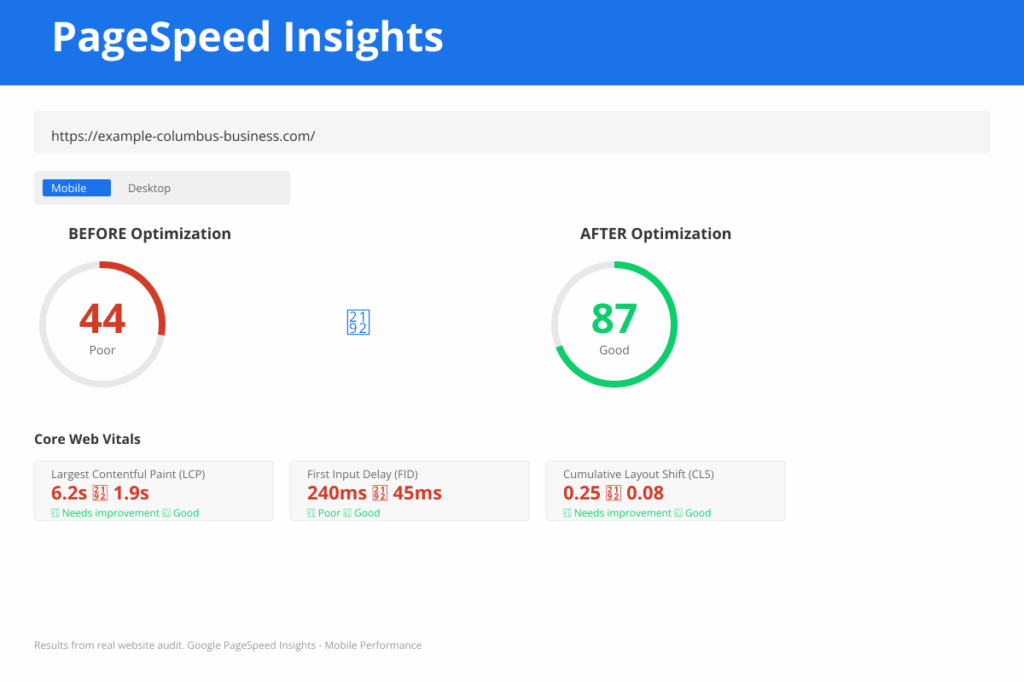
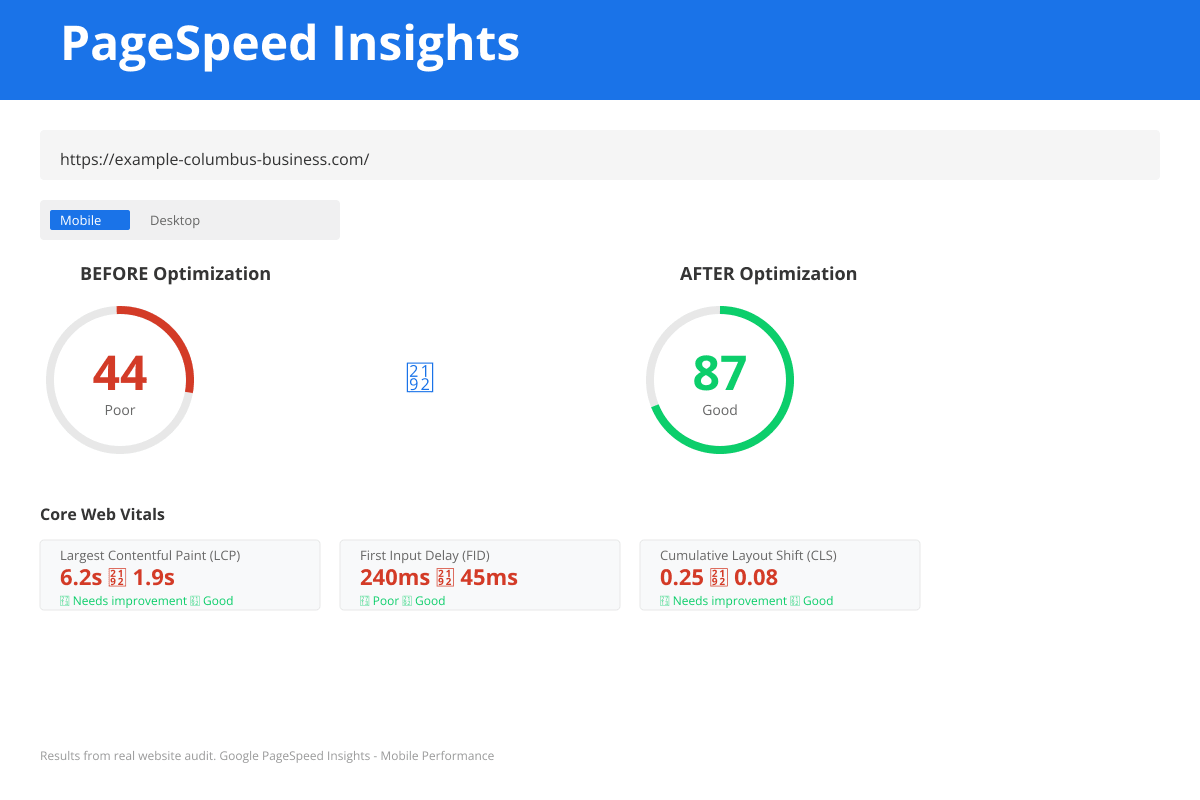
Google PageSpeed Insights score comparison showing Core Web Vitals performance improvement
Across Columbus, OH and nationwide, thousands of small business owners have websites that look fine on the surface but quietly fail to convert visitors into leads every single day. The frustrating part? The fixes are usually simpler than you would expect.
1. Your Call-to-Action Is Buried or Missing Entirely
Imagine a visitor lands on your homepage. They are interested. They scroll. Then they leave because they had no idea what to do next. According to HubSpot research, 70% of small business websites lack a clear call-to-action on their homepage. Nearly three out of four businesses are leaving money on the table before a visitor reads the first paragraph.
A call-to-action tells your visitor what to do next: Request a Free Quote, Schedule a Call, Get a Free Website Audit. It needs to be visible without scrolling, repeated in key sections, and specific enough that the visitor knows exactly what they will get.
The fix: Place your primary CTA above the fold on your homepage. Use a contrasting button color. Write benefit-driven copy. Instead of Contact Us, try Get My Free Website Analysis. Add secondary CTAs at the bottom of each service page and every blog post.
2. Your Website Loads Too Slowly on Mobile
Here is a stat that should stop you cold: 53% of mobile users abandon a site if it takes more than 3 seconds to load, according to Google research from 2023. Mobile traffic now accounts for over 60% of all web traffic globally. If your website is running on shared hosting with unoptimized images, you are losing leads silently every hour of every day.
Test your site speed using Google PageSpeed Insights. A score below 70 on mobile means serious conversion problems, not just performance problems. WebsiteLinter is another free tool that checks speed alongside dozens of conversion and SEO factors. A technical website audit will pinpoint the exact issues dragging your score down.
The fix: Compress images to WebP format. Enable browser caching. Use a content delivery network. Consider upgrading to managed WordPress hosting.
Is Your Website Losing You Customers?
Run a free WebsiteLinter audit to find SEO issues, broken links, slow pages, and more — in 60 seconds.
Run a free WebsiteLinter audit now. Takes 60 seconds. (No credit card required)
3. You Are Missing the Trust Signals Visitors Need to Act
Stanford University Web Credibility Research found that 75% of people judge a business credibility based on its website design. Your site is your first impression, your handshake, and your proof of legitimacy all in one. Yet most small business websites ask visitors to hand over their contact information with zero evidence of why they should trust you.
The trust signals that matter most: Google Reviews on your homepage and Contact page; a professional team photo on your About page and footer; your physical address and local phone number visible in your header, footer, and Contact page; industry certifications or badges on your About page; case studies or project results on your Services pages; and an SSL certificate across your entire site.
The fix: Audit your homepage against this checklist. Add your Google Reviews widget. Replace stock photos with real photos of your team or workspace. Write one brief case study showing a before-and-after result.
4. Your Mobile Experience Is Broken
Having a mobile-responsive website is not the same as having a mobile-optimized experience. Responsive design means your site reshuffles for smaller screens, but that does not mean it works well on them.
Common mobile UX failures that destroy leads include buttons too small to tap without zooming, text that runs edge to edge making it hard to read, forms with tiny input fields and no autocomplete support, pop-ups that cover the screen with no visible close button, and phone numbers that are not click-to-call links.
Imagine a potential customer on their lunch break searching for a local contractor or web designer. They find your site. The form is hard to fill out with one hand, the Submit button is hidden behind a pop-up, and the phone number in the footer is an image they cannot tap. They hit back and call your competitor instead.
The fix: Pull up your website on your own phone right now and try to complete your contact form. Focus on making buttons at least 44 pixels tall, linking phone numbers to open the phone dialer, disabling intrusive pop-ups on mobile, and using short forms that work with browser autofill.
5. Your Contact Form Is Working Against You
Contact forms are your most critical conversion point. Formstack research from 2023 found the average online form converts at just 11%, while best-in-class forms convert at 25% or higher. The difference usually comes down to length, friction, and follow-up speed.
InsideSales.com research found that the odds of qualifying a lead drop by 10 times if you wait more than 5 minutes to respond. Most small businesses follow up within a day or two. By then, the prospect has already hired someone else.
The most common mistakes include asking for too much information upfront, using generic placeholder text, not showing a confirmation email after submission, and slow follow-up.
The fix: Shorten your form to 3 or 4 fields. Use specific labels that ask what the visitor needs help with. Set up an instant auto-reply email so leads know they have been received. Consider a scheduling tool to let motivated visitors book a call immediately.
How to Prioritize Your Improvements: A 5-Step Diagnostic
- Run a speed test and check your mobile score. Below 70 means speed is your top priority.
- Check your bounce rate in Google Analytics. Above 70% on your homepage means your CTA or messaging is likely the problem.
- Complete your own contact form and time how long it takes. If it is frustrating, fix the form first.
- Test your site on mobile and list every page or element that feels broken or awkward.
- Audit your trust signals and add the two highest-impact missing items within the next 30 days.
Your Website Should Be Your Best Salesperson
A well-optimized small business website works 24 hours a day, 7 days a week, without a salary or commission. It answers questions, builds trust, and delivers warm leads to your inbox while you run your business. But only if it is built and maintained to actually convert visitors into customers.
The good news is that you do not need a full redesign to fix most of these problems. Targeted, strategic improvements to your CTAs, load speed, trust signals, mobile UX, and contact forms can dramatically increase the number of leads your existing site generates, often within weeks of implementing changes.
Ready to Fix Your Website and Start Generating Leads?
At Lindsey Web Solutions, we have helped hundreds of small businesses across Columbus and beyond fix these exact problems. We conduct a free, no-obligation website audit that identifies which of these five issues is costing you the most leads, then we create a roadmap to fix them — with specific, measurable results.
Many of our clients see a 40–60% increase in qualified leads within the first 30 days of implementing our recommendations. Others discover that a single fix (like improving mobile performance or clarity of their CTA) unlocks months of pent-up demand.
Your website is one of your most valuable business assets. If it is not working hard to bring in customers, it is working against you.
Get Your Free Website Audit Today →
No credit card. No obligation. Just an honest assessment of what's holding your site back, and a clear action plan to start generating more leads.